I remember the first time I wanted to tell a new Roblox friend about Discord. We were having fun in a game, chatting, and planning to play together later. I typed the word Discord in the chat, but Roblox quickly blocked it.
At first, I was confused. I kept trying different ways, but nothing seemed to work. That was when I realized Roblox has chat filters designed to protect users and prevent sharing certain outside platforms directly.
If you have ever faced the same problem, you are not alone. I went through the same situation and spent time learning safe and creative ways players communicate when they want to mention Discord without breaking Roblox rules.
Some methods worked better than others, while some were blocked instantly.
In this guide, I will share what I learned and show you different ways people try to say Discord in Roblox.
You will also discover which approaches are safer, easier to understand, and more likely to pass Roblox’s chat filters while keeping your conversations clear and friendly.
Why Roblox Censors the Word “Discord”
Roblox is one of the largest gaming platforms in the world, with millions of young users playing daily. To maintain a safer environment, Roblox carefully monitors in-game communication.
The word “Discord” is often filtered because Roblox tries to limit external communication between players. This policy helps reduce:
- Scams
- Grooming risks
- Harmful links
- Inappropriate content
- Off-platform harassment
Since Discord allows private communication outside Roblox, the platform’s moderation system may automatically block the word in many situations.
This is why messages containing “Discord” sometimes become hashtags.
How Roblox Chat Filtering Works
Roblox uses automated moderation technology that scans messages before they appear in chat.
The system checks for:
- Restricted words
- Personal information
- External links
- Suspicious phrases
- Phone numbers
- Social media references
If the system detects something risky, it replaces the message with hashtags.
For example:
- Discord
- Discord.gg links
- Usernames with numbers
- External server invites
The filter behavior may also vary depending on:
- Your account age
- Your verified age
- The game you are playing
- Privacy settings
- Previous moderation history
Some players may see certain words pass while others get tagged instantly.
Can You Say Discord in Roblox?
Technically, yes but not always directly.
Sometimes Roblox allows the word “Discord” in harmless conversations. Other times, it gets filtered immediately. The result depends on context and the moderation system’s detection rules.
For example:
- Casual discussions may pass
- Sharing server invites usually gets blocked
- Usernames may trigger the filter
- Repeated attempts may increase moderation risk
Roblox constantly updates its filtering system, so methods that work today may stop working later.
Popular Ways Players Say Discord in Roblox
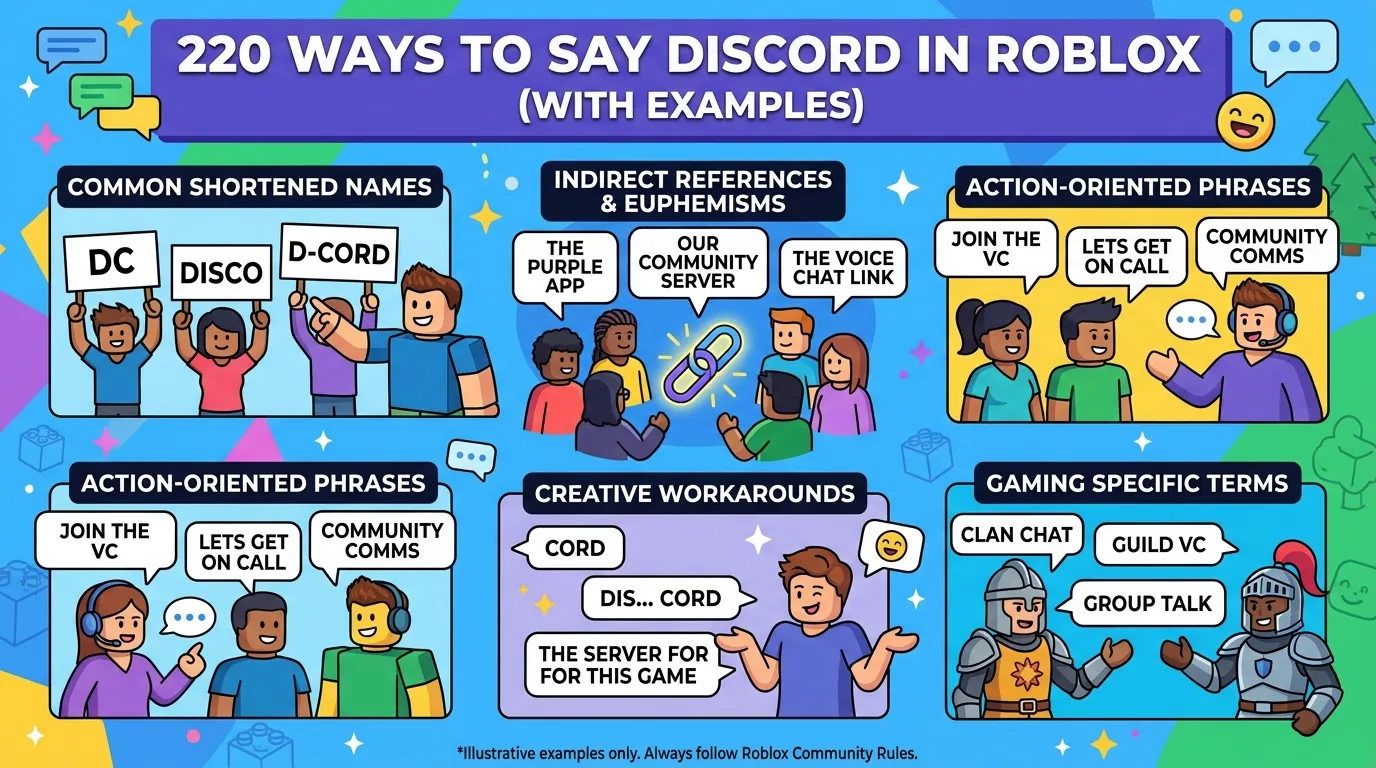
Players often use creative spellings to avoid chat tags. Some common examples include:
Using Spaces
- Dis cord
- Disco rd
- Disc ord
Replacing Letters
- D1scord
- Disc0rd
- D!scord
Abbreviations
- DC
- Cord
- Blue app
Creative References
Some players avoid the word completely and say things like:
- “Gaming chat app”
- “Purple chat app”
- “Voice app”
These methods sometimes work temporarily, but Roblox may still detect them.
Is Bypassing Roblox Filters Safe?
Trying to intentionally bypass Roblox moderation can be risky.
While casual mentions may not cause problems, repeated attempts to evade filters can lead to:
- Chat warnings
- Temporary chat restrictions
- Content moderation
- Account suspensions
- Short-term bans
Roblox moderation systems are designed to detect filter bypass attempts over time.
That is why players should avoid aggressive spam methods or suspicious link-sharing tactics.
Safe Ways to Share Discord in Roblox
Instead of bypassing filters aggressively, there are safer ways to communicate with friends.
Use Roblox Social Links
Some Roblox creators and verified users can add approved social links to profiles or experiences.
Use Profile Bios Carefully
Players sometimes place recognizable usernames in their bios without directly posting links.
Communicate With Trusted Friends
Only share external usernames with people you know and trust.
Use Roblox Groups
Some communities use Roblox groups to organize events and external communication safely.
Avoid Posting Invite Links
Direct Discord invite links are much more likely to trigger moderation.
Why Roblox Uses Strict Chat Rules
Many players become frustrated with Roblox filters, but the system exists for important safety reasons.
Roblox aims to protect younger audiences from:
- Online predators
- Harmful communities
- Scams
- Malware links
- Inappropriate conversations
Because millions of children use Roblox daily, the platform must follow strict online safety standards.
The filtering system is not perfect, but it helps reduce dangerous interactions.
Common Problems Players Face
Messages Turning Into Hashtags
This is the most common issue. Roblox replaces filtered content with #### automatically.
Discord Usernames Getting Tagged
Usernames containing numbers or symbols are more likely to trigger the filter.
Different Results for Different Accounts
Older or age-verified accounts sometimes experience fewer restrictions.
Random Words Being Censored
Roblox moderation occasionally blocks harmless words by mistake.
How Streamers and YouTubers Share Discord
Large Roblox creators often use safer methods to promote their Discord communities.
These include:
- YouTube descriptions
- Twitch profiles
- Roblox group pages
- Social media profiles
- Verified social links
Instead of posting direct links repeatedly in chat, creators guide users to official pages.
Roblox Voice Chat vs Discord
Many players compare Roblox voice chat with Discord because both allow communication during gameplay.
Roblox Voice Chat
Pros:
- Built into Roblox
- Easier for casual players
- Safer moderation
Cons:
- Limited community tools
- Fewer customization options
Discord
Pros:
- Voice channels
- Community servers
- Better organization
- Screen sharing
- Streaming features
Cons:
- External platform risks
- Less Roblox moderation protection
Both platforms serve different purposes, but Discord remains more popular for gaming communities.
Tips to Avoid Roblox Chat Tags
If you want fewer messages filtered, follow these tips:
- Avoid spam-like behavior
- Don’t repeat blocked words continuously
- Avoid suspicious links
- Keep messages simple
- Don’t use excessive symbols
- Respect community guidelines
The more natural your messages appear, the less likely they are to be tagged.
Myths About Saying Discord in Roblox
“You Get Instantly Banned”
Not always. Most casual mentions simply get filtered.
“Spaces Always Work”
Roblox updates filters regularly, so spacing tricks may stop working.
“Private Chats Are Unfiltered”
Private chats still use moderation systems.
“Older Accounts Can Bypass Everything”
Even older accounts are still moderated.
Alternatives to Discord for Roblox Players
Some players prefer other communication tools.
Popular alternatives include:
- Roblox Party Chat
- Guilded
- TeamSpeak
- Xbox Party Chat
- In-game voice systems
These platforms offer different features depending on community needs.
FAQs:
Why does Roblox censor Discord?
Roblox filters Discord to reduce unsafe external communication and protect younger users.
Can you get banned for saying Discord in Roblox?
Usually, casual mentions are simply filtered. However, repeated filter bypass attempts may lead to moderation actions.
Why does Roblox turn words into hashtags?
The moderation system automatically replaces restricted or suspicious content with hashtags.
Is Discord allowed on Roblox?
Discord itself is not banned, but direct promotion and external communication may be restricted.
How do YouTubers share Discord servers?
Most creators use profile links, YouTube descriptions, or Roblox groups instead of posting direct links in chat.
Does Roblox allow social links?
Some approved creators and experiences can add social links through Roblox features.
Conclusion:
Learning how to say Discord in Roblox can be frustrating because Roblox uses strict moderation systems to protect players.
While some creative spellings may temporarily work, constantly trying to bypass filters can create unnecessary risks for your account.
The safest approach is to follow Roblox community guidelines, avoid suspicious links, and communicate responsibly with trusted friends.
As Roblox continues updating its moderation tools, safe and respectful communication will always be the best long-term strategy.