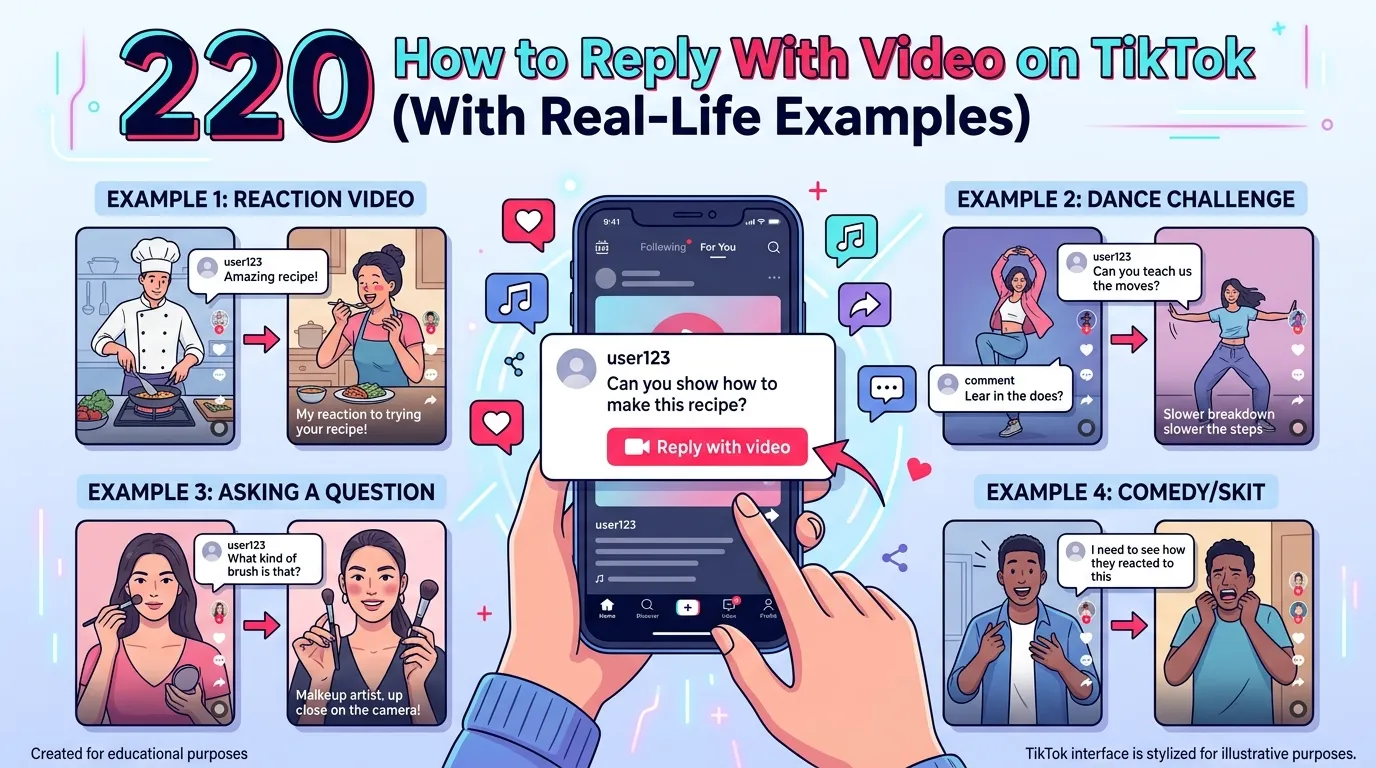
I remember the first time I tried to reply with a video on TikTok. I saw a creator asking funny questions in the comments, and everyone was posting video replies. I wanted to join too, but I had no idea where the option was.
I spent several minutes tapping buttons, opening menus, and even restarting the app because I thought something was wrong. At first, it felt confusing, and I almost gave up. Then I finally discovered the video reply feature and recorded my response in just a few seconds.
After posting it, people started reacting to my video, and it actually made the conversation more fun and personal.
That experience showed me that TikTok has many hidden features that are easy once you know them. So if you are struggling to figure out how to reply with a video on TikTok, don’t worry because I went through the same thing, and I’ll help you do it step by step.
How to Reply to a Comment With a Video on TikTok
Replying with a video on TikTok is very easy once you know where the feature is.
- Open TikTok
- Go to your video
- Tap the comments section
- Find the comment you want to reply to
- Tap the reply icon
- Choose the video camera icon
- Record your reply video
- Add effects or text if needed
- Post the video reply
- The comment will appear inside your video
This feature is perfect for answering questions and making your audience feel noticed.
TikTok Reply With Video Not Showing Up
Sometimes the video reply option may disappear. This can happen for several reasons.
Common Reasons
- TikTok app is outdated
- Weak internet connection
- Account restrictions
- TikTok server problems
- Feature not available in your region
- App cache issue
- Old phone software
- Temporary TikTok bug
Easy Fixes
- Update TikTok from the app store
- Restart your phone
- Clear TikTok cache
- Log out and log back in
- Reinstall the app
- Check internet speed
- Wait for TikTok updates
- Use another TikTok account to test
Many users fix the problem by simply updating the app.
How to Reply to TikTok Comment With Video on PC
TikTok on desktop has limited features compared to mobile devices.
What You Can Do on PC
- Watch TikTok videos
- Reply with text comments
- Upload videos
- Manage your account
- Check notifications
What You Cannot Fully Do
- Direct video replies to comments
- Some editing tools
- Certain mobile-only features
Best Solution
- Use TikTok mobile app
- Log in on Android or iPhone
- Reply with video from your phone
Currently, TikTok works best for video replies on mobile devices.
How to Reply to a Comment With a Video on TikTok Android
Android users can easily use this feature through the app.
Steps for Android Users
- Open TikTok app
- Tap your profile
- Open any posted video
- Go to comments
- Press the reply button
- Tap the red video icon
- Record your answer
- Add music or filters
- Post the reply
Helpful Tips
- Use good lighting
- Keep replies short
- Speak clearly
- Add captions for viewers
- Use trending sounds if possible
Android phones support most TikTok reply features smoothly.
Video Reply on TikTok Download
Many people want to save TikTok video replies for later viewing or sharing.
Ways to Download Video Replies
- Use TikTok save option
- Ask creator to share video
- Screen record the reply
- Use TikTok download button
- Save your own replies directly
Important Reminder
- Respect creator privacy
- Avoid reposting without permission
- Give credit when sharing content
Downloading your own TikTok video replies is the safest option.
How to Comment With a Video on TikTok
TikTok mainly supports video replies instead of full video comments.
How It Works
- Someone comments on your post
- You reply using a video
- The original comment appears in your video
Creative Ideas
- Answer questions
- React with humor
- Tell a short story
- Share tutorials
- Make reaction videos
This feature helps increase engagement and audience interaction.
How to Reply to a Comment With a Video on YouTube
YouTube does not currently support direct video replies inside comments like TikTok.
Alternative Ways on YouTube
- Make a new video response
- Mention the commenter
- Pin their comment
- Use YouTube Shorts
- Add screenshots of comments
Simple Method
- Take screenshot of comment
- Add it into your video
- Reply verbally or with text
- Upload as a YouTube Short
This gives a similar feeling to TikTok video replies.
How to Turn On Video Replies on TikTok
Usually, the feature is enabled automatically. If not, try these steps.
How to Enable Features
- Update TikTok app
- Turn on app permissions
- Allow camera access
- Allow microphone access
- Enable notifications
- Use a public account
Check Privacy Settings
- Open settings
- Go to privacy
- Allow comments
- Allow interactions
Without comment permissions, video replies may not work correctly.
How to Reply a Comment With a Video on Facebook
Facebook also supports video replies in some sections.
Steps on Facebook
- Open Facebook app
- Go to comments
- Tap reply
- Select camera icon
- Record your video
- Upload the reply
Best Uses
- Business pages
- Community groups
- Creator content
- Live video reactions
Video replies on Facebook can help increase interaction just like TikTok.
Best Tips for TikTok Video Replies
Good video replies can help your content grow faster.
Smart Tips
- Keep videos short
- Use clear sound
- Add subtitles
- Reply to popular comments
- Stay friendly and fun
- Use trending music
- Post consistently
- Smile naturally
- Hook viewers quickly
- End with a question
Common Mistakes
- Long boring replies
- Bad lighting
- Low sound quality
- Ignoring comments
- Posting unclear answers
The better your replies feel, the more engagement your videos can receive.
Why Video Replies Matter on TikTok
Video replies make followers feel important. People enjoy seeing creators directly answer comments. It creates stronger connections and increases watch time.
Many viral TikTok videos started as simple replies to comments. A single funny or smart response can bring thousands of views and new followers.
Conclusion:
TikTok video replies are a fun and powerful way to connect with your audience. Whether you are using Android, PC, Facebook, or YouTube, replying with videos can make your content feel more personal and engaging.
If the feature is not working, simple fixes like updating the app or checking settings usually help. Keep your replies creative, short, and entertaining to build a stronger TikTok community.

Go I am Joseph Hall, a passionate creator exploring ideas that inspire and connect. On Replysz.com, I share unique insights and trends that keep you ahead. Join me on this journey of discovery and creativity.